Creating a home workspace that enhances productivity while fitting your unique lifestyle can be a game-changer for your work-from-home routine. Whether you’re a parent balancing family duties, a freelancer hustling on multiple projects, or someone who simply wants a clutter-free, motivating environment, organizing your home office effectively is key.
In this post, we’ll explore practical tips and strategies to help you set up a workspace tailored to your needs and daily habits. From layout ideas to storage solutions and work-life balance, these tips will help you create an environment where you can focus and thrive.
Understand Your Work Style and Needs
Before you start arranging furniture or buying organizational tools, it’s important to identify how you work best.
– Are you more visual or auditory? Visual people may benefit from clear desk surfaces and inspiring wall art, while auditory learners might appreciate noise-cancelling headphones.
– Do you need lots of natural light or prefer a cozy, dim atmosphere?
– How much space do you have available? A dedicated room or just a corner of the living room?
– Do you often switch between devices or need extra outlets?
Answering these questions helps you design a workspace that supports both your tasks and comfort.
Choose the Right Location
Location is foundational. Here’s how to pick a spot that works:
– Quietness: Opt for a place with minimal distractions. If you live with others, try to find an area away from high-traffic zones.
– Lighting: Natural light boosts mood and energy. Position your desk near windows if possible.
– Ventilation: Fresh air helps maintain alertness. Avoid stale, cramped spaces.
– Connectivity: A spot near your internet router or where Wi-Fi is strong can prevent tech frustrations.
If space is limited, consider flexible options like foldable desks or mobile workstations.
Ergonomics Matter
A comfortable setup reduces fatigue and promotes better posture.
– Desk and Chair: Choose a chair with good back support and a desk at elbow height when seated.
– Monitor Placement: Position your screen at eye level about an arm’s length away to prevent neck strain.
– Keyboard and Mouse: Keep them close to avoid overreaching.
– Accessories: Footrests, wrist cuffs, or standing desks can make a big difference if you spend long hours working.
Taking time to adjust your setup can help prevent aches and maintain health.
Organize for Efficiency and Clarity
Clutter can distract and decrease productivity, so organizing your workspace cleverly is key.
Declutter Regularly
Clear your desk of unnecessary papers and gadgets at the end of each day. This helps you start fresh in the morning.
Use Smart Storage Solutions
– Shelving and cabinets: Store books, binders, and supplies to keep your desktop clear.
– Drawer organizers: Separate pens, paperclips, and other small items.
– Cable management: Utilize clips or sleeves to keep cords tangle-free.
Digital Organization
Don’t forget about your computer files. Use folders, backups, and cloud storage to stay on top of your digital workspace.
Personalize Your Workspace Without Overdoing It
Adding a few personal touches can make your workspace inviting and motivate you, but avoid making it crowded.
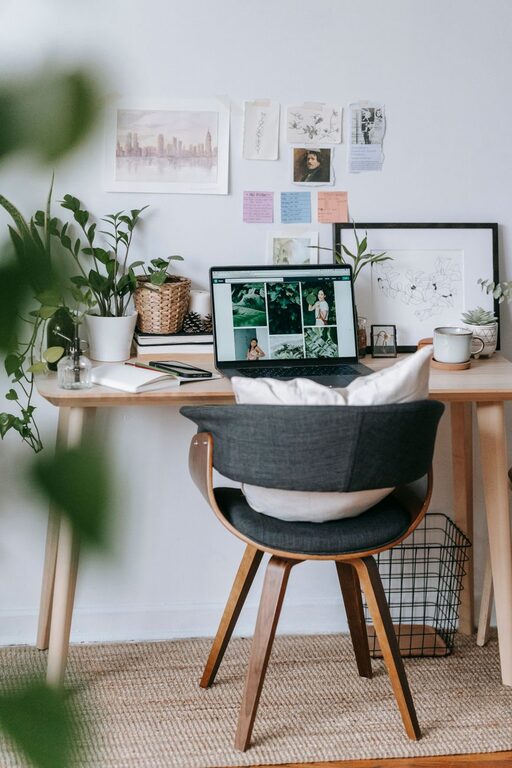
– Plants: Small greenery can purify air and reduce stress.
– Photos or artwork: Inspirational images or calming visuals.
– Color scheme: Choose colors that affect your mood positively—soft blues for calm, yellows for energy.
Remember, the goal is to foster focus, not distraction.
Accommodate Your Lifestyle Needs
Different lifestyles require different approaches:
For Parents
– Set clear work hours and communicate with family.
– Use noise-canceling headphones and visual signs to indicate work time.
– Keep a basket of quiet toys or activities nearby for children if sharing space.
For Freelancers and Creatives
– Create zones for brainstorming and execution, like a whiteboard area.
– Keep supplies for different projects easily accessible.
– Break tasks into segments and schedule breaks to avoid burnout.
For Minimalists
– Stick with basic furniture and only essentials.
– Use digital tools over paper when possible.
– Practice daily tidying to maintain a clean environment.
For Shared Spaces
– Use room dividers or curtains to set boundaries.
– Coordinate schedules with roommates or partners.
– Invest in noise reduction accessories.
Incorporate Break Areas and Movement
A completely static workspace isn’t ideal. Encourage movement and relaxation:
– Place a small area nearby for stretching or short exercises.
– Use a standing desk option or alternate sitting and standing.
– Keep a water bottle at your desk to stay hydrated.
These habits improve focus and reduce physical strain.
Set Boundaries and Establish Rituals
Creating clear boundaries between work and personal life is crucial when working from home.
– Dress for work to psychologically switch into professional mode.
– Define your working hours and stick to them.
– Leave your workspace at the end of the day to “clock out.”
These simple steps help maintain work-life balance.
Final Thoughts
Organizing a productive home workspace doesn’t have to be complicated or costly. By considering your personal work style, choosing the right location, investing in ergonomic furniture, and keeping your space neat, you can create an environment that supports your lifestyle and keeps you motivated every day.
Remember, it’s okay to experiment and adjust your setup as your needs change. The perfect workspace evolves with you!
About the Author